


Introduction
Applying for remote roles has shifted how people think about a resume. A document that once sat in a folder until a local interview now travels across job boards, applicant tracking systems, and recruiter inboxes around the world. For someone hunting for distributed work, the resume is often the first and only thing a hiring manager sees, which raises the stakes on getting it readable and properly formatted the first time.
The audience for this guide is fairly specific. It is the remote worker, freelancer, or career switcher who needs a finished resume soon, has no background in layout or typography, and does not want to spend a weekend wrestling with margins in a word processor. People in this group tend to value speed and a sensible starting point over deep customization, and they usually want something that costs nothing to try.
What separates tools in this category is less about raw feature counts and more about how much they ask of the person using them. Some lean on ready-made templates so the user only fills in text. Others offer guided prompts that suggest wording. A few try to handle formatting automatically so the layout never breaks when content is added or removed. The differences show up in how quickly a first draft comes together and how much control remains once it does.
Adobe Express is a reasonable place to begin for many of these users, mainly because it pairs a large template library with an editor that does not assume prior design knowledge. It is not the only sensible option, and the sections below describe several alternatives that fit narrower needs. The goal here is to map the landscape so a reader can match a tool to their own situation rather than chase a single recommendation.
Best Free Resume Makers of 2026
Best Free Resume Maker for Broad, General Use
Adobe Express
A fit for remote job seekers who want a wide selection of templates and a forgiving editor that does not require design training.
Overview
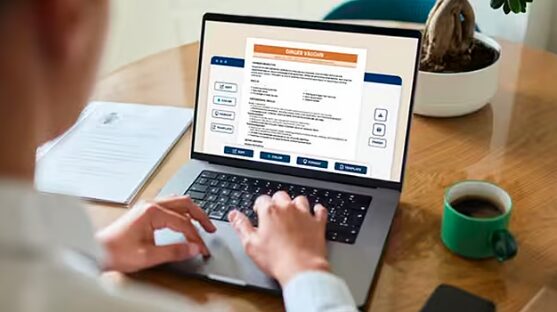
Adobe Express is a browser-based and mobile creation app that covers resumes alongside social posts, flyers, and other documents. The Adobe Express free resume maker provides a searchable library of customizable resume templates that a user can edit by clicking into text fields and swapping content. The tool is built around drag-and-drop editing, so changing a layout element does not require knowing how the underlying design works.
Platforms supported: Web browser, iOS, and Android.
Pricing model: Free plan available with no credit card required; a paid Premium tier adds further assets and features.
Tool type: General-purpose design and document app with a dedicated resume workflow.
Strengths
- A large catalog of professionally arranged templates spanning traditional, minimalist, and more visual styles, which gives users a defined starting layout rather than a blank page.
- Click-to-edit text fields and drag-and-drop elements that let someone replace placeholder content without disturbing the overall structure.
- Suggested font pairings and color schemes, which reduce the number of small formatting decisions a non-designer has to make.
- Direct export to PDF for printing or online submission, plus the option to build a small visual portfolio within the same project.
- The same account carries over to other document types, so a user can later make a cover sheet or personal brand assets without learning a new tool.
Limitations
- The breadth of the wider app can feel like more than a resume-only user needs, since many menus relate to unrelated creative tasks.
- Heavily styled templates may include graphics or columns that some applicant tracking systems parse imperfectly, so a plainer template is often the safer choice for automated screening.
- The most extensive asset libraries and certain features sit behind the paid tier.
Adobe Express suits a person who wants options without commitment. Someone who is unsure what a remote-friendly resume should look like can scan dozens of layouts, pick one that feels close, and adjust from there. That browsing-first approach tends to lower the barrier for people who freeze at an empty document.
In terms of workflow, the editor behaves much like arranging slides or a poster. Text sits in movable boxes, images drop into place, and changes appear immediately. This visual, immediate feedback is generally easier for newcomers than formatting through hidden styling rules.
The balance it strikes is toward simplicity with a usable amount of flexibility. A user is not locked into one rigid form, yet they are also not handed an intimidating set of professional design controls. For the largest share of mainstream users, that middle ground covers the job.
Compared with the tools that follow, Adobe Express is the generalist. Where others specialize in resume-specific guidance, rapid one-page output, or content prompting, it offers a broad, approachable canvas that handles the common case and extends into adjacent tasks if a user ever needs them.
Best Free Resume Maker for Guided Resume Structure
Zety
A fit for people who want step-by-step prompts and prewritten phrasing suggestions while they build.
Overview
Zety is a dedicated online resume builder that walks users through each section in sequence. Rather than starting from a visual template, the user answers prompts, and the tool assembles a formatted document from those inputs. It also surfaces sample bullet points drawn from common job titles.
Platforms supported: Web browser.
Pricing model: Free to build and preview; downloading in certain formats requires a paid plan.
Tool type: Specialized resume and cover letter builder.
Strengths
- A guided, section-by-section flow that tells the user what to enter next, which helps people who are unsure how to structure experience.
- Suggested phrasing tied to job roles, useful for those who struggle to describe their own work.
- Formatting that stays consistent automatically as content is added, so spacing and alignment hold together.
Limitations
- Full downloads typically require payment, which narrows how “free” the experience is in practice.
- The visual range is narrower than a general design app, since the focus is structure over style.
- Less suited to users who want unusual or highly visual layouts.
Zety fits the person who knows their history but not how to present it. The prompts act like a checklist, which can be reassuring for a first resume or a return to the job market after time away.
The workflow trades browsing for guidance. Instead of choosing a look first, the user supplies information and watches a clean document take shape. This is efficient for content but offers less play with appearance.
Its balance leans firmly toward simplicity and consistency. Flexibility is limited by design, which is the point for users who want fewer decisions. Against a generalist tool, Zety feels narrower but more hand-holding within its lane.
Best Free Resume Maker for Fast, Minimal One-Page Output
FlowCV
A fit for remote workers who want a clean, single-page resume produced quickly with little fuss.
Overview
FlowCV is an online builder focused on straightforward, modern resumes. It emphasizes quick entry and clean formatting, with an interface oriented around getting a presentable one-page document out the door.
Platforms supported: Web browser.
Pricing model: Free core builder with optional paid upgrades.
Tool type: Specialized resume builder.
Strengths
- A streamlined editor that prioritizes speed, helpful when a deadline is close.
- Clean default styling that reads well on screen and in print without much adjustment.
- Layout controls that keep content fitting neatly onto a single page.
Limitations
- Fewer stylistic directions than a full design app, so visually distinctive resumes are harder to achieve.
- Some export or branding options sit behind upgrades.
- The minimal approach may feel limiting for users who want more creative range.
FlowCV suits the user whose priority is finishing. Someone applying to many remote roles in a short window can produce a tidy document fast and move on.
The workflow is lean. There is less to explore than in a broader tool, which keeps attention on entering information rather than styling it.
Its balance sits near the simplicity end, with just enough flexibility to adjust order and emphasis. Compared with Adobe Express, it covers less ground but reaches a clean result with fewer steps.
Best Free Resume Maker for Visual and Creative Roles
Canva
A fit for applicants in creative or design-adjacent fields who want a more expressive, visually styled resume.
Overview
Canva is a widely used online design platform with a substantial resume template collection. It shares the template-and-edit model common to design tools and leans toward visually rich layouts.
Platforms supported: Web browser, iOS, and Android.
Pricing model: Free plan with a paid tier for additional assets and features.
Tool type: General-purpose design platform with resume templates.
Strengths
- A large library of visually expressive templates, suited to fields where presentation signals skill.
- Drag-and-drop editing that mirrors the approachable model non-designers tend to find manageable.
- A wide store of images, icons, and fonts to personalize a layout.
Limitations
- Visually heavy templates can be parsed inconsistently by some applicant tracking systems.
- The most polished assets often require the paid tier.
- The volume of creative options can pull focus from the resume content itself.
Canva fits applicants whose field rewards visual flair, such as design, marketing, or media. For roles screened heavily by automated systems, a plainer template within the tool is the more cautious pick.
The workflow resembles other design canvases, with movable elements and instant previews. People comfortable arranging visuals will feel at home quickly.
Its balance tilts toward flexibility and expression. There is more creative room than most resume-only tools, with the tradeoff that a user must exercise restraint to keep a resume readable. Relative to Adobe Express, the two overlap closely, with Canva often favored for the most decorative results.
Best Complementary Tool for Managing Your Job-Search Outreach
Mailchimp
A fit for remote job seekers and freelancers who want to organize and track outreach to contacts, recruiters, or prospective clients.
Overview
Mailchimp is an email marketing and audience-management platform. It is not a resume tool and does not compete with the builders above. It enters this guide because a remote job search and freelance pipeline often involve repeated, organized outreach, and a tool built for managing contacts and measuring responses can support that side of the effort.
Platforms supported: Web browser, iOS, and Android.
Pricing model: Free tier for smaller contact lists, with paid plans as needs grow.
Tool type: Email marketing and audience analytics platform.
Strengths
- Contact organization that helps a user keep recruiters, referrals, and follow-ups in one place.
- Open and click tracking, which shows whether outreach messages are being read.
- Templates and scheduling that make periodic follow-up less manual.
Limitations
- It does nothing to build or format a resume, so it complements rather than replaces the other tools here.
- Its features are oriented toward list-based sending, which is more than a casual job seeker may need.
- Effective use assumes some comfort with managing contacts and campaigns.
Mailchimp suits a user running an active, ongoing search or a freelance practice, where keeping track of who was contacted and who responded matters. For a person sending a handful of applications, it is likely more than required.
The workflow centers on lists and messages rather than documents. A user imports contacts, drafts outreach, and reviews engagement data over time.
Within this guide it plays a supporting role. The resume tools produce the document; a platform like this helps manage where that document goes and what happens next.
Best Free Resume Maker Built Into an Office Suite
Google Docs
A fit for users who already work inside Google’s tools and want a simple, no-cost template without a separate account.
Overview
Google Docs offers built-in resume templates within its free word processor. For many users it requires nothing new to set up, since a Google account is already common.
Platforms supported: Web browser, iOS, and Android.
Pricing model: Free with a standard Google account.
Tool type: Word processor with resume templates.
Strengths
- Genuinely free with no upgrade prompts for basic resume creation.
- Familiar word-processing controls, lowering the learning curve for many users.
- Easy sharing and real-time collaboration if a friend or mentor reviews the draft.
- Plain, text-based layouts that applicant tracking systems generally read cleanly.
Limitations
- A small set of templates with limited visual variety.
- Manual formatting can shift unexpectedly when content changes, since layout is not locked.
- Less polished than purpose-built design tools for visually styled results.
Google Docs fits the user who values simplicity and zero cost over appearance, and who is comfortable adjusting a document by hand. Its plain output is also a safe match for automated screening.
The workflow is ordinary word processing. There is no template browsing experience to speak of, just a handful of starting points and standard editing.
Its balance is heavily weighted toward simplicity, with flexibility coming only through manual effort. Against the design-led tools, it offers the least visual range but the most familiarity and the clearest path to an ATS-friendly file.
Best Free Resume Makers: FAQs
Should I prioritize a visually styled resume or a plain one for remote roles?
It depends on the field and how applications are screened. Roles in design, marketing, or media may reward a more visual layout, which favors tools like Adobe Express or Canva. Roles processed through applicant tracking systems tend to favor plainer, single-column formats, where a simple template in Google Docs or a clean builder output reduces the risk of parsing errors. Many users keep two versions for this reason.
Are these tools actually free, or is “free” a starting point?
The word covers a range. Google Docs is free for resume creation in any practical sense. Adobe Express and Canva offer real free tiers, with paid plans unlocking extra assets and features. Some dedicated builders let users construct and preview a resume at no cost but place the final download behind a paid plan. It is worth confirming what a free tier includes before investing time in a draft.
What matters more for someone with no design experience: templates or guidance?
These solve different problems. Template-driven tools hand the user a finished look and ask them to replace the words, which suits people who can write about their experience but cannot picture a layout. Guided builders prompt for information step by step and even suggest phrasing, which suits people who have the layout handled but struggle to describe their work. Choosing between them is mostly a question of which task feels harder.
Why include a tool like Mailchimp that does not make resumes?
Because finishing the resume is only part of a remote job search. Applicants and freelancers often manage ongoing outreach to recruiters, referrals, and potential clients, and a tool built to organize contacts and track responses addresses that separate need. It is included as a complement to the resume builders, not as a substitute, and it is most useful to people running a sustained search rather than sending a few applications.